Open Subscriptions
Every sender whose mail offers a way to unsubscribe, from the last 90 days, with how often they write and how much of it you opened.
Gmail now has a screen for leaving newsletters, and there are services that do it for you. Here’s how each one works, what it sees of your mail, and how Dodosend does it, one key per sender.
Free for one Gmail mailbox, on macOS, Windows, and Linux.
Gmail’s own way, on the web and in its phone apps. Google began rolling it out on July 8, 2025, in some countries first, so it may not be in your Gmail yet.
Leaving can take a few days, Gmail says, and until then new mail from that sender goes to Spam, with a banner. Blocking a sender is not the same: it doesn’t unsubscribe you.
To clear out your newsletters, an app has to see your mail. How each one connects, what it costs, and, in its own words, what it does with what it sees.
| Service | How it connects | Price | What its policy says |
|---|---|---|---|
| Unroll.Me | A Google app password, over IMAP | Free | Owned by NielsenIQ. Its data page says: “We share information about the commercial emails you receive and some demographic details with clients like e-commerce businesses and data brokers for market analysis.” |
| Clean Email | Google sign-in | Free for up to 1,000 messages; $29.99 a year for one account, $49.99 for five, $99.99 for ten | It accesses only each mail’s envelope and headers, and the body only to show a preview, and it will “never sell or rent” your data. |
| Dodosend | Google sign-in | Free for one Gmail mailbox | The list is made on your computer. To unsubscribe, Dodosend’s server reads the unsubscribe headers of that sender’s mail, and keeps only the sender’s address, how you left, and the date. |
Unroll.Me’s and Clean Email’s details come from their own sites, checked in October 2026. Dodosend’s are in its Privacy Policy.
Subscriptions lists who writes to you and how much of it you read, and stops each sender with one key.
Every sender whose mail offers a way to unsubscribe, from the last 90 days, with how often they write and how much of it you opened.
Asks the sender to stop, and archives their conversations still in your Inbox.
Asks the sender to stop, and leaves their mail where it is.
Moves the sender to Kept, out of the way. Press it again there to bring them back to review.
Senders come in groups: Never opened, Rarely opened (fewer than one email in five) and Often opened. A group of senders you never or rarely open has Unsubscribe from all, which leaves every one of them and archives their mail. Once you’ve left, a sender shows under No mail since you unsubscribed, or under Still sending if their mail comes more than two days later.
If one way fails, the next is tried. To do this, Dodosend’s server reads only the headers of up to ten of that sender’s mails.
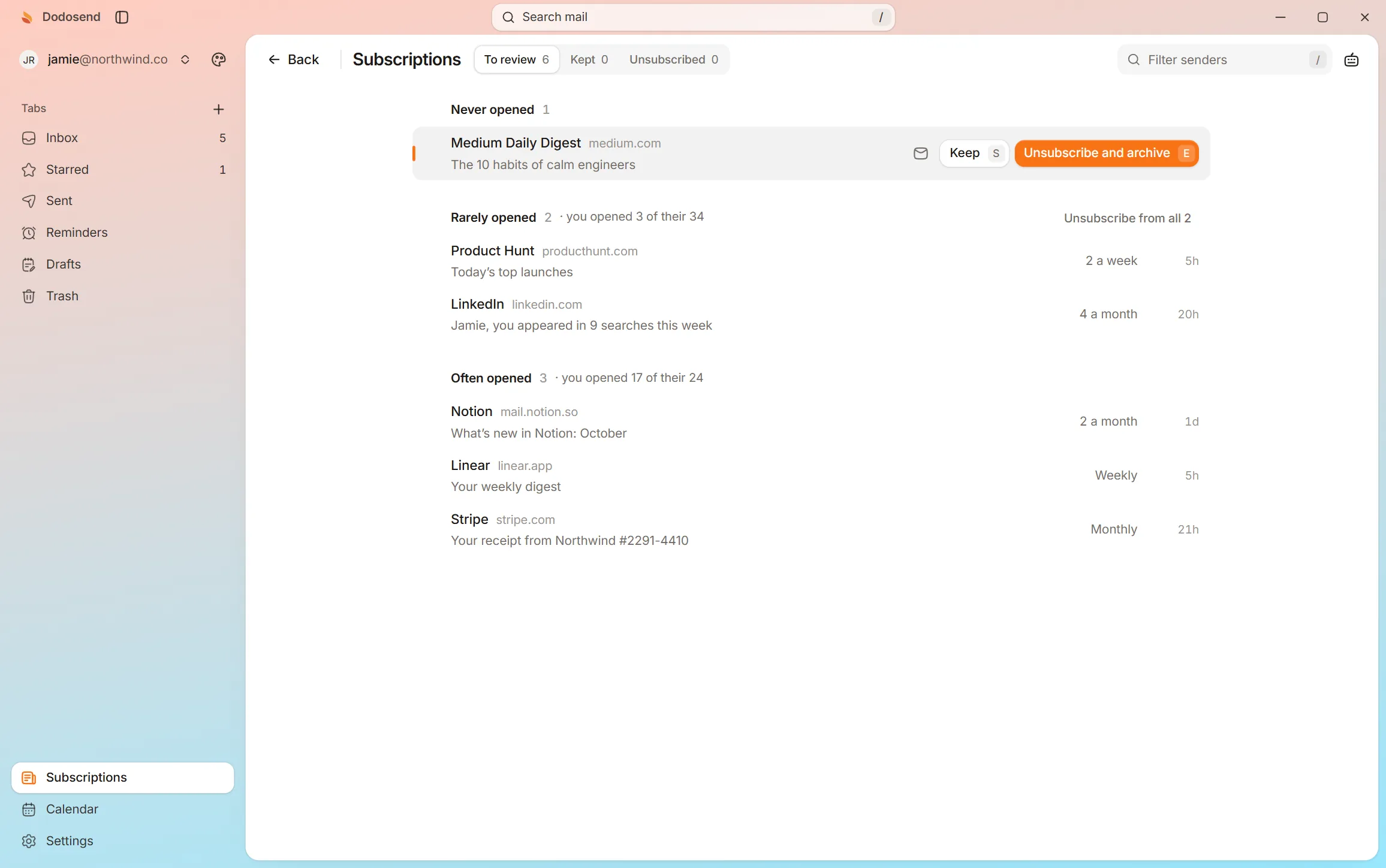
Open Subscriptions with G then S, and press E on a sender you never read. Nothing here touches a real mailbox.
Interactive demo. A hands-on look at how it works: use your keyboard or mouse, and the guide shows you what to do. The mail is made up.
10 threads
Press GthenS to see who sends you newsletters.Tap “Show me” to see who sends you newsletters.
Everyone who sends you newsletters, and how often you open them. One key unsubscribes and archives their mail.
No. Gmail’s help says it plainly: blocking a sender doesn’t unsubscribe you, so you stay on their list. To get off it, unsubscribe.
Senders can take a few days to stop. Gmail says so of its own unsubscribe, and until then it sends new mail from that sender to Spam. In Dodosend, a sender who still writes more than two days after you left shows under Still sending, so you can see which ones didn’t stop.
Judge from what it says itself. Unroll.Me is free, connects to Gmail with an app password over IMAP, and is owned by NielsenIQ. Its data page says: “We share information about the commercial emails you receive and some demographic details with clients like e-commerce businesses and data brokers for market analysis.”
Not the text of it. The list is made on your computer, from each mail’s sender, its unsubscribe header, its date and whether you opened it. When you unsubscribe, Dodosend’s server reads the headers of up to ten of that sender’s mails, and keeps only the sender’s address, how you left, and the date.
Gmail’s Manage subscriptions is, and so is Dodosend for one Gmail mailbox, Subscriptions included. Unroll.Me is free too; Clean Email is free for up to 1,000 messages, then from $29.99 a year.
Subscriptions on your real Gmail, one key per sender. Free for one mailbox, and your mail stays on your computer.
Free for one Gmail mailbox, on macOS, Windows, and Linux.