Nudges
Brings up mail you haven’t answered, and mail you sent that got no answer, at the top of your inbox.
Gmail picks which mails to bring up, and when. They’re suggestions, not reminders you set.
Gmail can suggest mails to follow up on, when it sees fit. Here’s what Gmail has, the tools that add a reminder you set yourself, and how Dodosend does it.
Free for one Gmail mailbox, on macOS, Windows, and Linux.
Three features come close: one suggests, one brings mail back, one sends it later. None of them waits for a reply.
Brings up mail you haven’t answered, and mail you sent that got no answer, at the top of your inbox.
Gmail picks which mails to bring up, and when. They’re suggestions, not reminders you set.
Takes a mail out of your inbox and brings it back at the time you pick.
It comes back at that time whether or not anyone replied.
Sends a mail later, at the time you pick, with up to 100 waiting at once.
It sends; it doesn’t remind. A mail may go out a few minutes late, and one you cancel goes back to your drafts.
Nudges show at the top of your inbox, and only with conversation view on. They’re worth having even with a reminder tool: they catch the mail you didn’t think to set one for.
They add the reminder Gmail doesn’t have, and some will write the follow-up too. Plans and prices come from each one’s own site, checked in October 2026.
| Tool | What it does | Where it runs | Price |
|---|---|---|---|
| Boomerang | Brings a mail back only if nobody replies, or regardless. It can also send a follow-up for you when nobody does, and cancel it if they reply. | A browser extension for Chrome, Firefox, Safari, Edge and Opera, and apps for iPhone and Android | Free for 10 message credits a month; Personal $4.98/month billed yearly, for @gmail.com addresses; Pro $14.98/month billed yearly |
| Right Inbox | Remind Me brings a mail back. Sequences send follow-ups for you, and stop when someone replies. | Inside Gmail, in Chrome, Safari or Firefox | Free for 5 reminders a month; Professional $7.95/month billed yearly, or $9.95 monthly |
| Mixmax | Sets a reminder as you send, so the follow-up doesn’t slip. Made for sales outreach, and priced by how many people you write to. | Inside Gmail, in the browser | A limited free plan; paid from $29 per user a month, billed yearly |
| Dodosend | Brings a thread back at the time you type, or only if nobody has answered by then. It never sends anything for you. | Its own desktop app, for macOS, Windows and Linux | Free for one Gmail mailbox, reminders included |
Two kinds of reminder, both a key away: one for later, and one for when nobody answers.
Press H on a thread and type “thu 4pm” or “in 3 days”, or open the palette with CtrlK and type “remind me fri 10”. The thread leaves the Inbox and waits in Reminders until then.
Writing a mail you need an answer to, press CtrlShiftH and pick when. If nobody but you has written in the thread by then, it comes back to the Inbox, unread; if someone has, it stays where it is. For a thread you already sent, open it and type “remind me if no reply fri 10” in the palette.
Dodosend’s server keeps the time and moves the thread in Gmail itself, so it comes back on time with the app closed, and in Gmail on your phone too.
Dodosend brings the thread back, and what to say is up to you: it never sends a follow-up on its own. If you want one sent for you, Boomerang and Right Inbox do that.
Comes back to the Inbox at that time, even if Dodosend is closed.
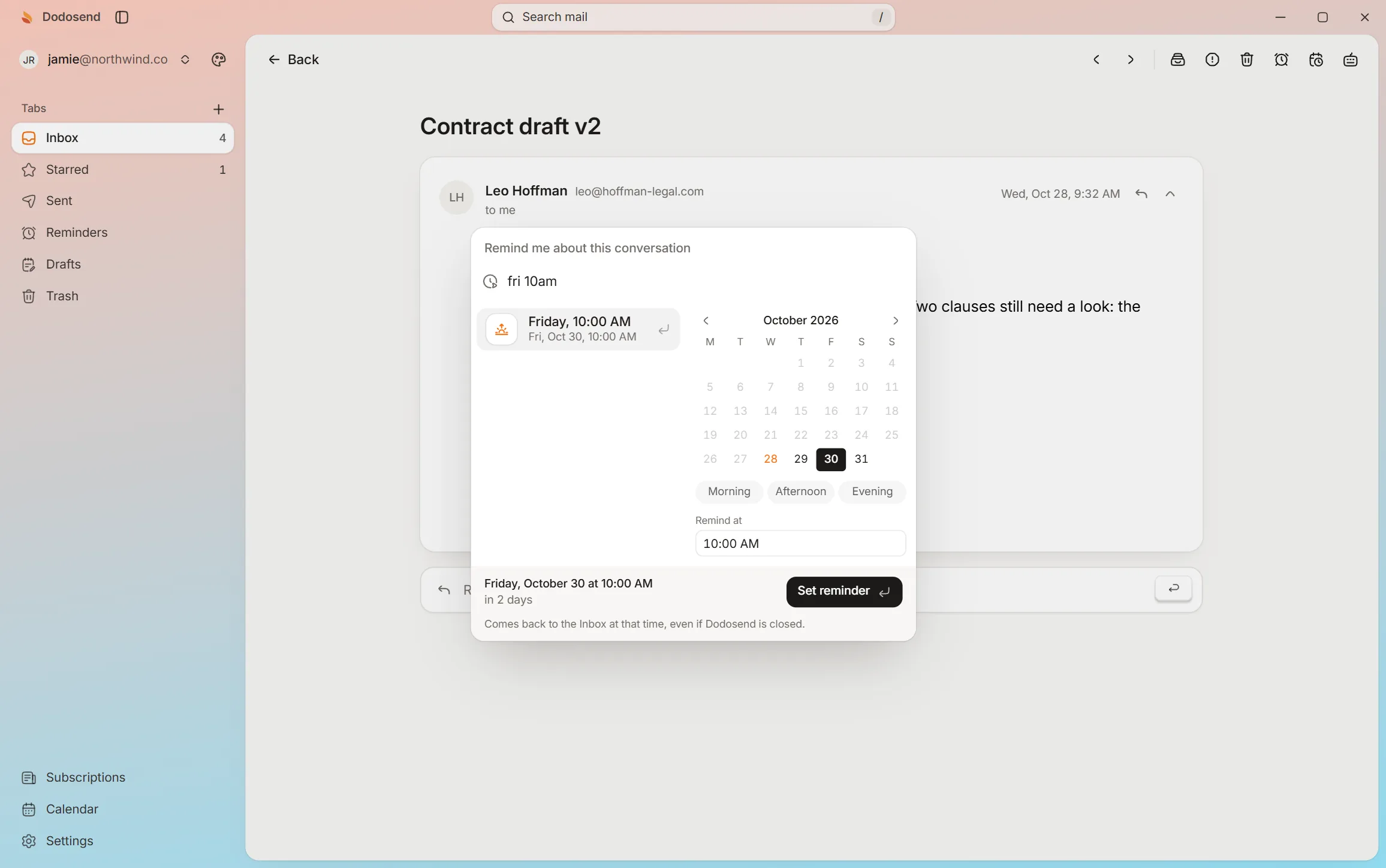
Start a message, set Remind me if no reply, and send it. The palette scene has “remind me fri 10” too. Nothing here touches a real mailbox.
Interactive demo. A hands-on look at how it works: use your keyboard or mouse, and the guide shows you what to do. The mail is made up.
10 threads
Press C to start a new message.Tap “Show me” to start a new message.
A new message that comes back to you if nobody answers. Say “attached” and forget the file: it asks first.
Partly. Nudges, under Settings, See all settings, General, bring up mail you sent that got no answer at the top of your inbox. But Gmail picks which mails to bring up and when, so you can’t count on it for one mail in particular.
Not one mail you choose, at a time you choose. Nudges may bring up a sent mail that got no answer, and Snooze brings a mail back at a set time whether or not anyone replied. For a reminder that comes only when nobody answers, you need a tool like Boomerang or Right Inbox, or an app like Dodosend.
It can. Boomerang can bring a mail back only if nobody replies, or send a follow-up for you when nobody does, and cancel it if they reply. Right Inbox’s Sequences work the same way. Dodosend doesn’t do this: it brings the thread back, and you write.
No, and on purpose: nothing goes out in your name unless you send it. Dodosend brings the thread back to your Inbox, unread, and you write the follow-up. To write it now and have it go out later, use scheduled send.
Yes. Dodosend’s server keeps the reminder and moves the thread in Gmail when the time comes, so it’s back in your Inbox whether the app is open or not, and in Gmail on your phone too.
Yes. Reminders, Remind me if no reply and scheduled send are all in Dodosend’s Free plan, for one Gmail mailbox. The Multi-mailbox plan, billed monthly or yearly, is only for connecting more mailboxes.
H for later, and a reminder for when nobody answers, on your own Gmail. Free for one mailbox, and your mail stays on your computer.
Free for one Gmail mailbox, on macOS, Windows, and Linux.